
-
EBT Blocks 🧱
-
EPT Paragraphs 🆕
-
Resources & Support
- Drupal Book
- Blog
- Case Studies
- Drupal Documentation
- JSON Drop API Documentation
- Forum
- What's New
- Download Drupal
- Contact
Canvas Palette - Make it Colorful🎨
Canvas Palette - Drag in blocks, drop in a video, add a splash of color - no design degree required.
Extra Block Types (EBT) - New Layout Builder experience❗
Extra Block Types (EBT) - styled, customizable block types: Slideshows, Tabs, Cards, Accordions and many others. Built-in settings for background, DOM Box, javascript plugins. Experience the future of layout building today.
❗Extra Paragraph Types (EPT) - New Paragraphs experience
Extra Paragraph Types (EPT) - analogical paragraph based set of modules.
GLightbox is a pure javascript lightbox (Colorbox alternative without jQuery)❗
It can display images, iframes, inline content and videos with optional autoplay for YouTube, Vimeo and even self-hosted videos.
- Home
- Drupal Book
- 3. Drupal: Site building
- 3.5. Views - Builder for the output of materials. Output blocks and pages.
3.5.3. Views Arguments (contextual filters).
Menu
- Install Drupal with Lando
- 1. Drupal: Basic features
- 2. Drupal: Configuration
-
3. Drupal: Site building
- 3.1. Contact - Form builder Feedback form.
- 3.3. Panels, Page Manager - Page output builder. Create a homepage.
- 3.4. Paragraphs - landing page builder
-
3.5. Views - Builder for the output of materials. Output blocks and pages.
- 3.5.0 Views module overview.
- 3.5.1. Views Filters and sorting.
- 3.5.2. Views exposed filters. Drupal: Ads board
- 3.5.3. Views Arguments (contextual filters).
- 3.5.4. Views Relations
- 3.5.5. Views slideshow - Display jQuery slideshows and carousels through Views.
- 3.5.6. Other Views settings.
- 3.5.7. Data Aggregation in Views.
- 3.6. Webforms is a powerful form builder.
- 3.7. Layout Builder - Page and content builder
- 3.8. Display Suite: Node output builder.
- 4. Drupal Commerce - Online store module for Drupal
- 5. Drupal and SEO.
- 6. Drupal: Theming
- 7. Drupal: Advanced theming
- 9. Module development for Drupal
- Drupal decoupled. Building backend on Drupal.
- Old articles
Very often, we need to display a block related to a specific user (for example, his article or announcement), display the author of the node in the block, on the page of that node.
But at the same time, each user has his own list of announcements, each node has its own author and these blocks will be correspondingly different for each node and user. For such blocks, we have contextual filters in the view.
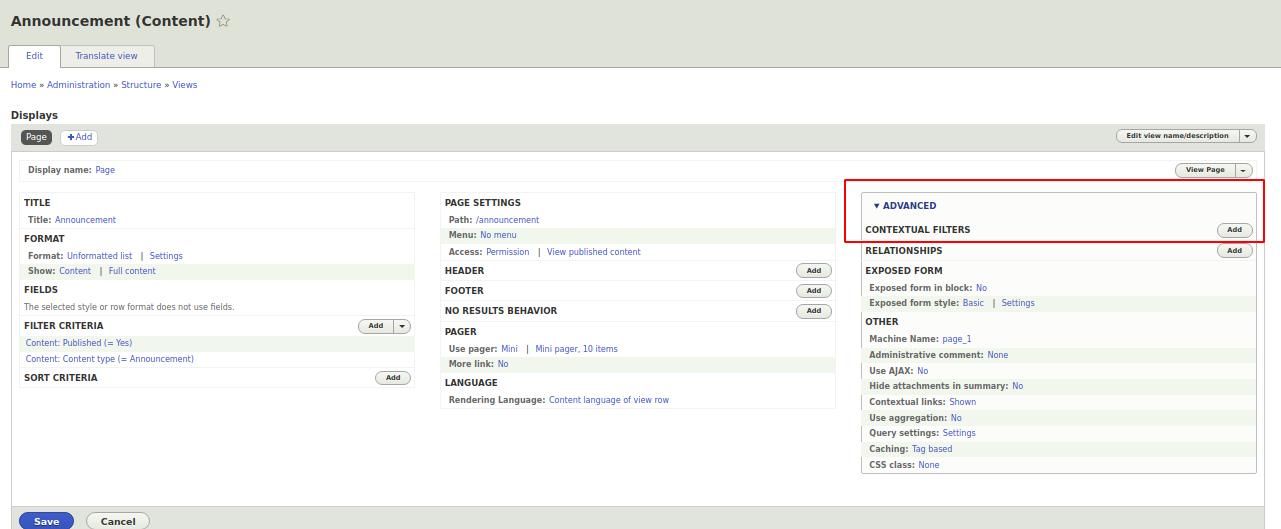
Now let's add a filter for the announcements so that only the data for our announcements is filtered on the ad page. Filter by nid field. Let's look at how this filter works. We have url nodes
/node/13
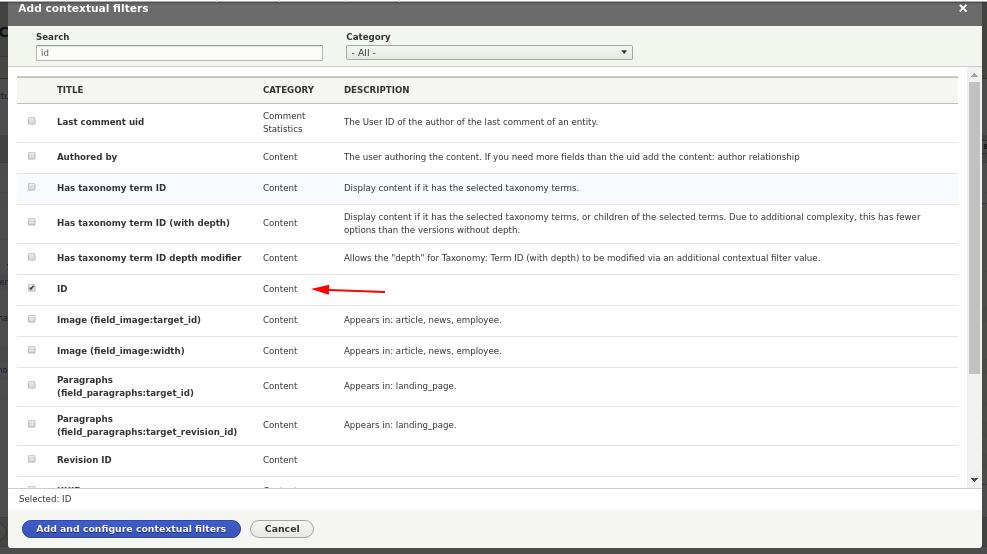
Where 7 is the nid of our node. We tell Views through a contextual filter, filter us nodes by nid and for each node on different pages of nodes, we will display the corresponding node data. Add a nid filter:
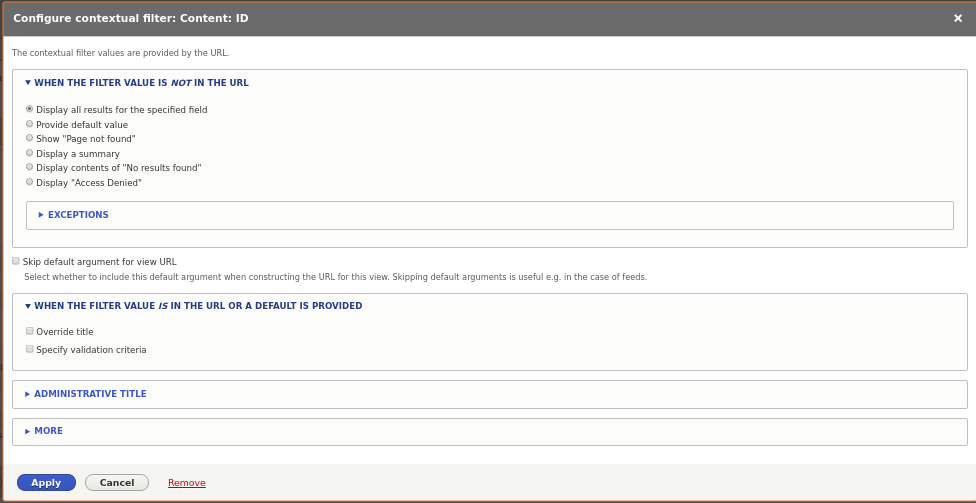
Now we need to select Default actions for contextual filter, in this case to select Provide default value > Content ID from URL:
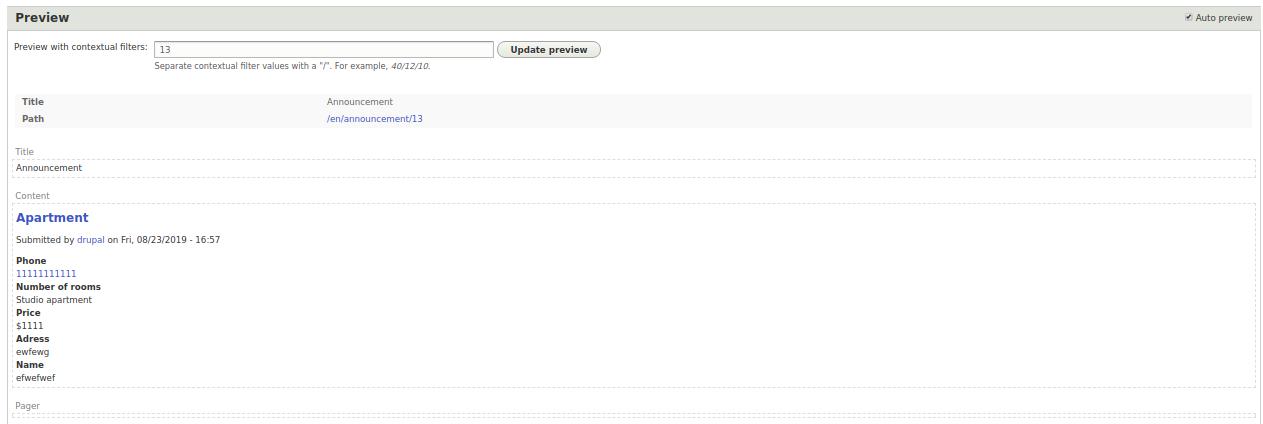
Now you can check the operation of our filter through the preview form. I have an announcements with nid 7, so I enter 7 and click on the preview button:
...